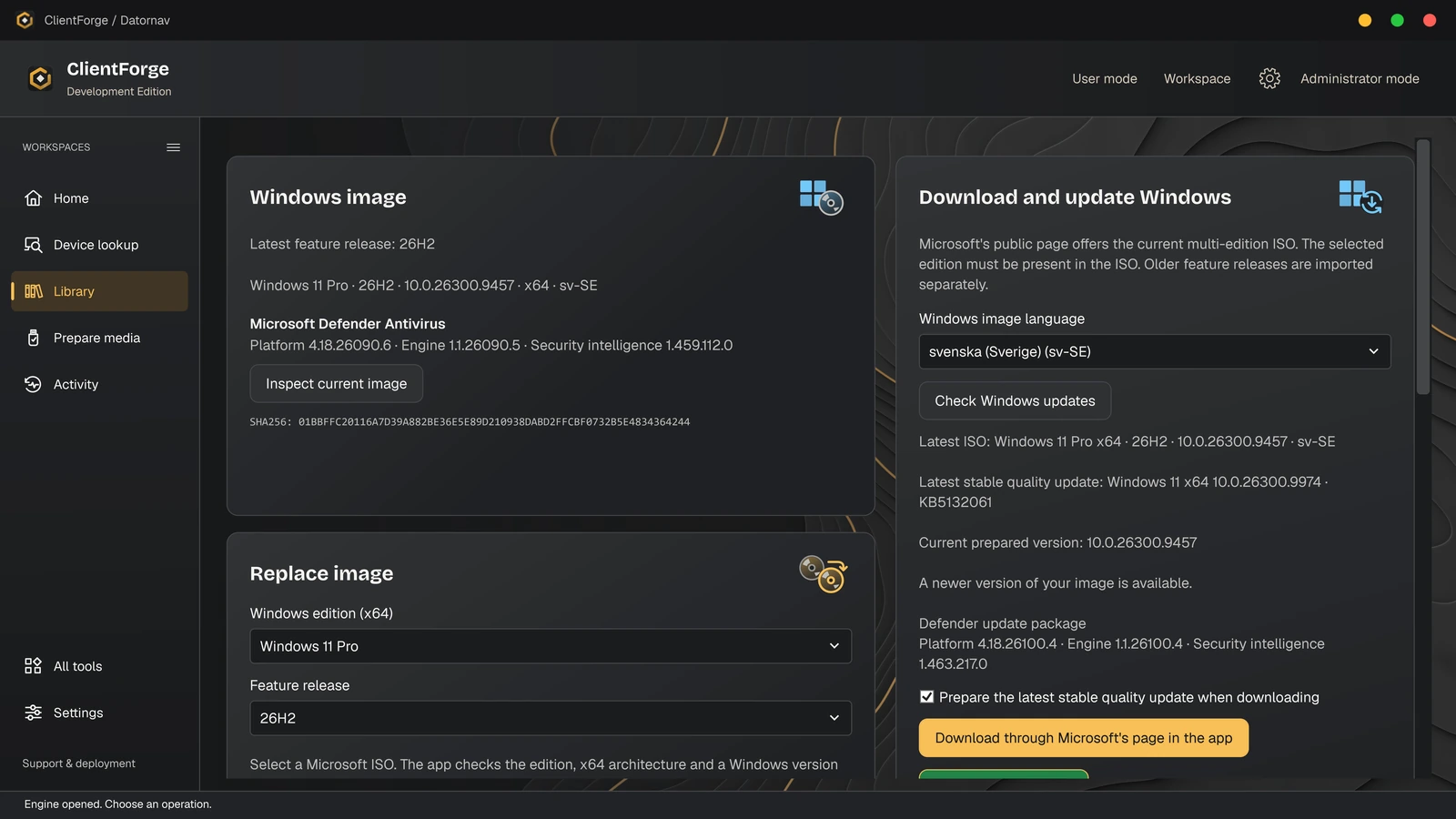
Prepare the image
Download Windows or import your own ISO. Update Windows and Defender in one click, then choose the languages, Office packages and apps your users need.
Interactive demo
Prepare a PC in the desktop app or try a deployment in WinPE. Choose a different image, profile or language and see what changes for the user.
 ClientForge/DatornavWindows deployment
Explore three views from the app. Enable JavaScript to try the interactive demo.
Download Windows or import your own ISO. Update Windows and Defender in one click, then choose the languages, Office packages and apps your users need.
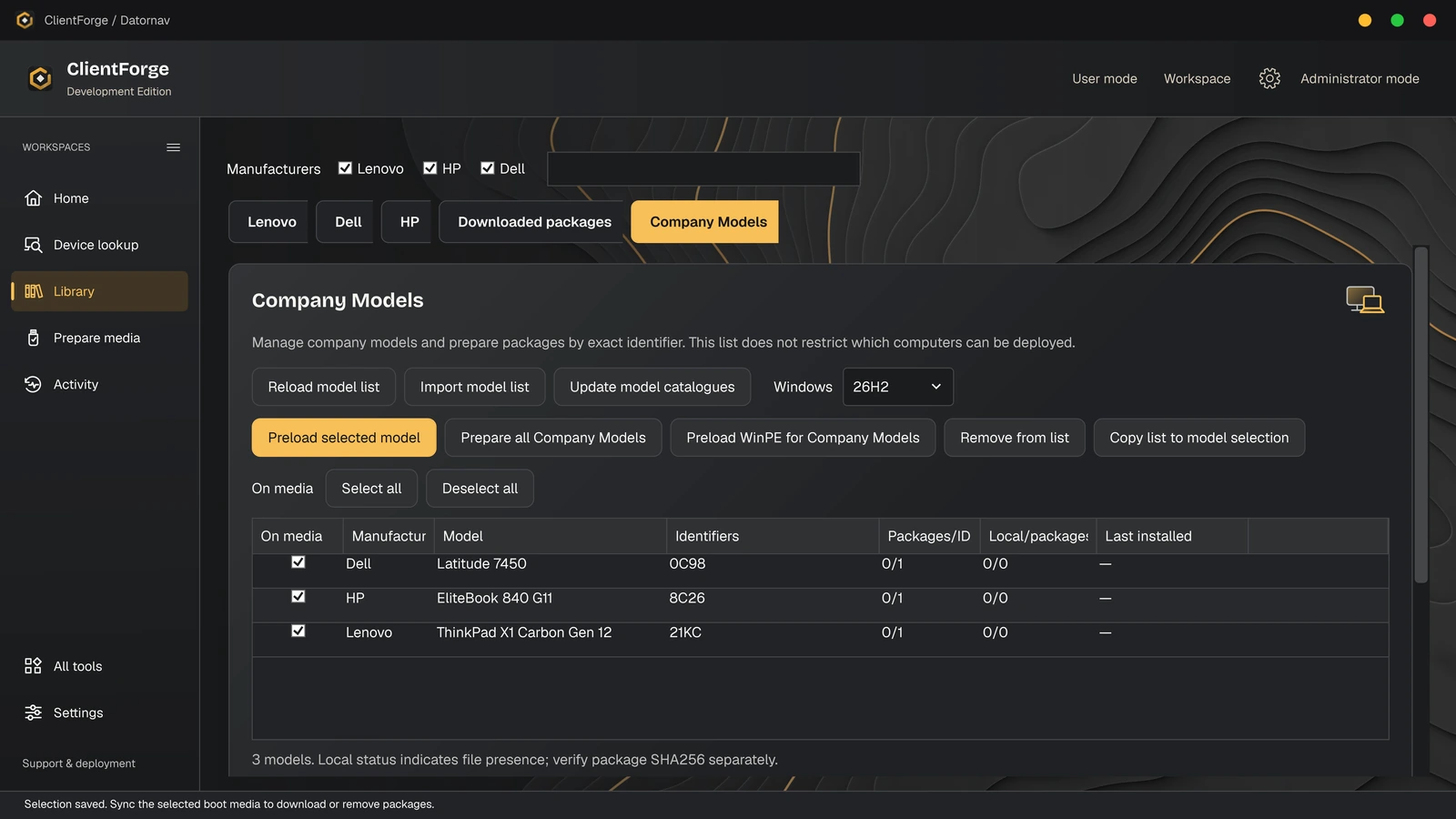
Choose models from Lenovo, Dell and HP. Preload driver packs for offline use or let ClientForge fetch missing packs over Ethernet.
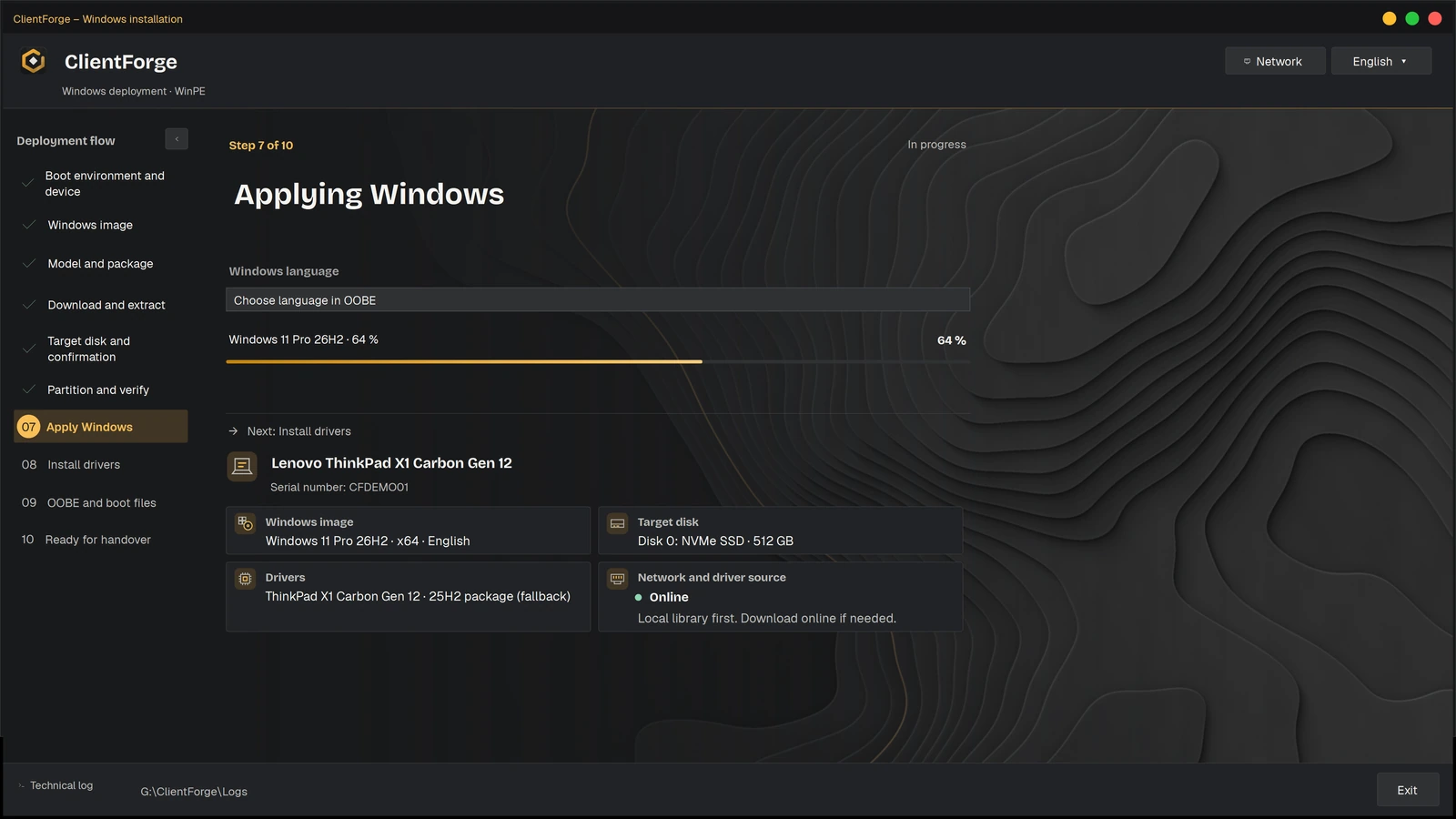
Review the PC and its target disk in WinPE. Choose the profile for your user and follow the installation through to Windows first-run setup.